For serial fiction
Write your next chapter.
Keep your story straight.
An AI writing workspace for LitRPG, cultivation, and progression fantasy. Draft and revise chapters, plan arcs, and keep your characters and world details organized as your story grows.
No API key or card required · optional paid models from about $0.017 a chapter · read a serial written here →
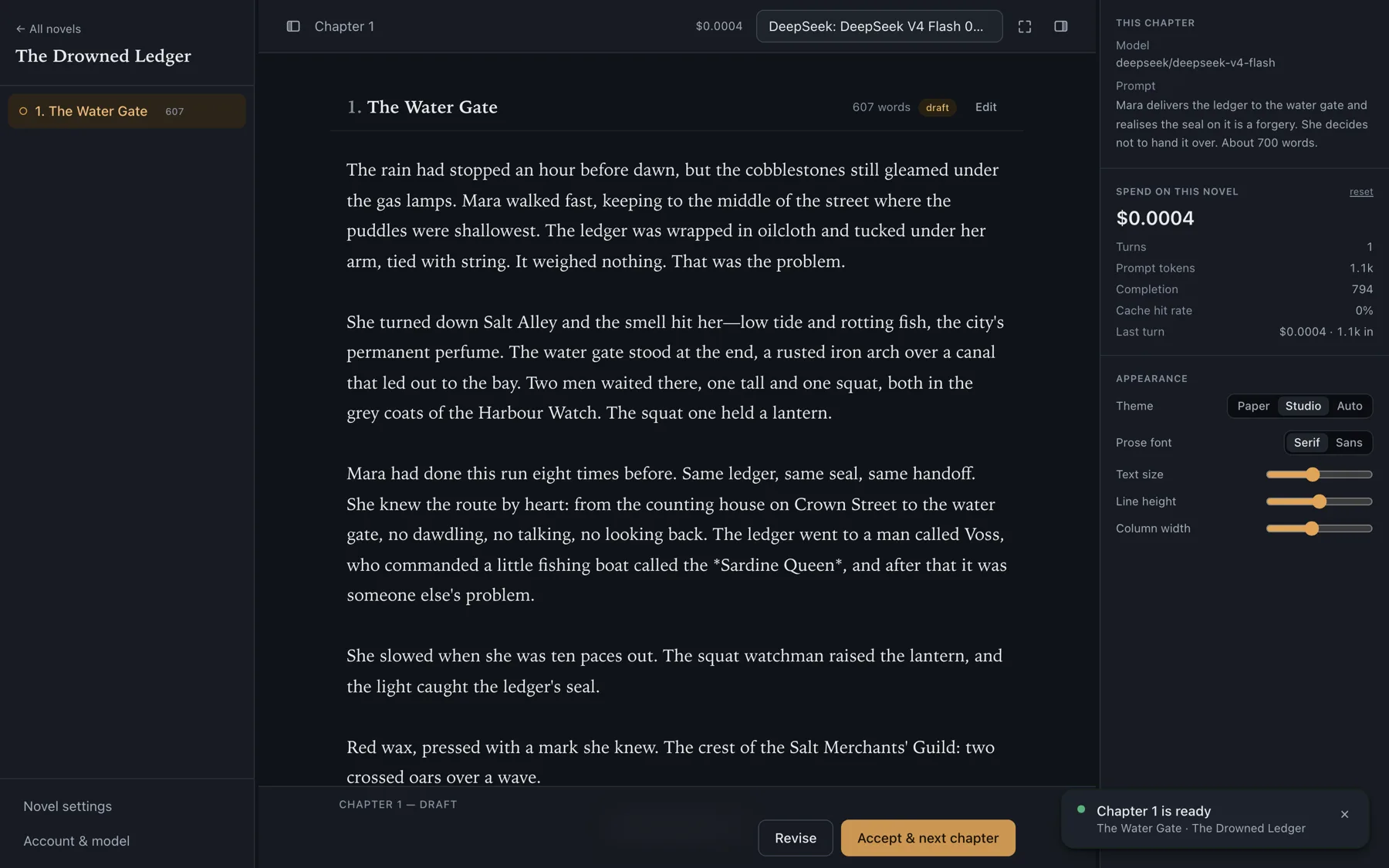
Keep track of the details
Built for the long haul
A chat window forgets. By chapter thirty it has lost the name of your protagonist's sister, the rule you set for how magic works, and the debt someone owed in chapter four. A web novel is the exact shape of problem that breaks it.
- Every chapter carries the ones before it. Not a summary of a summary — the actual text, until it no longer fits.
- Then it compacts, like a coding agent. Old chapters fall back to dense summaries and stay searchable in full.
- And it looks things up. Unsure who Joren was? It searches your earlier chapters mid-draft instead of inventing him again.
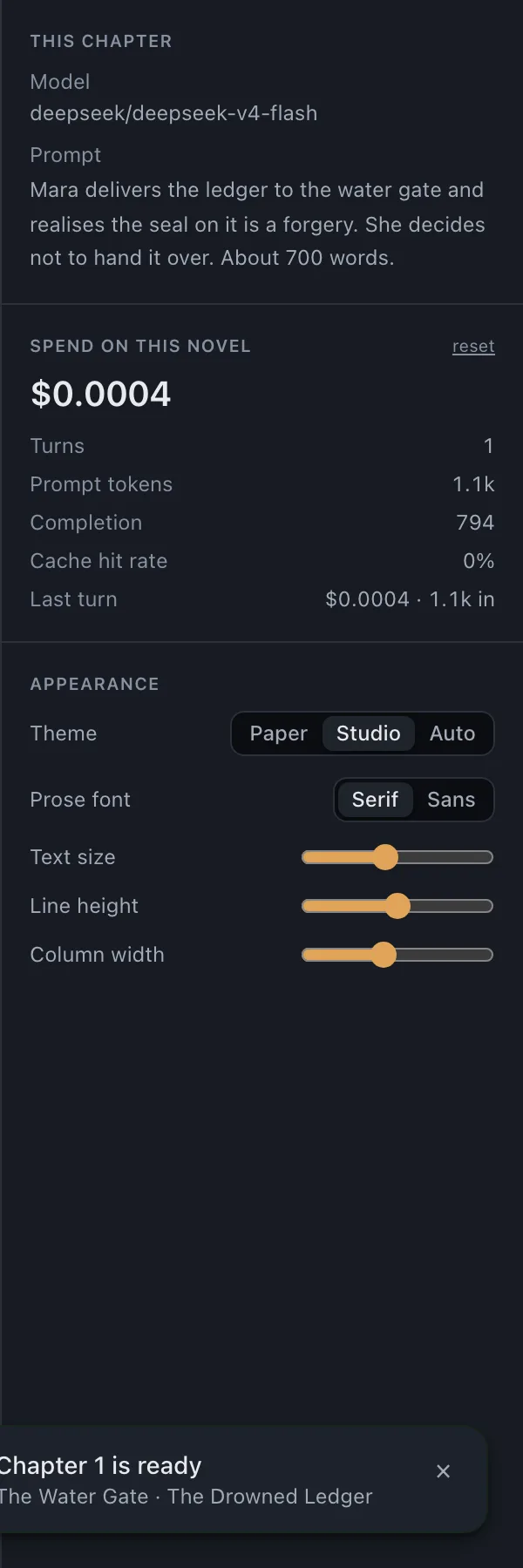
Prompt, revise, accept, continue
Four steps, then repeat until the story is finished.
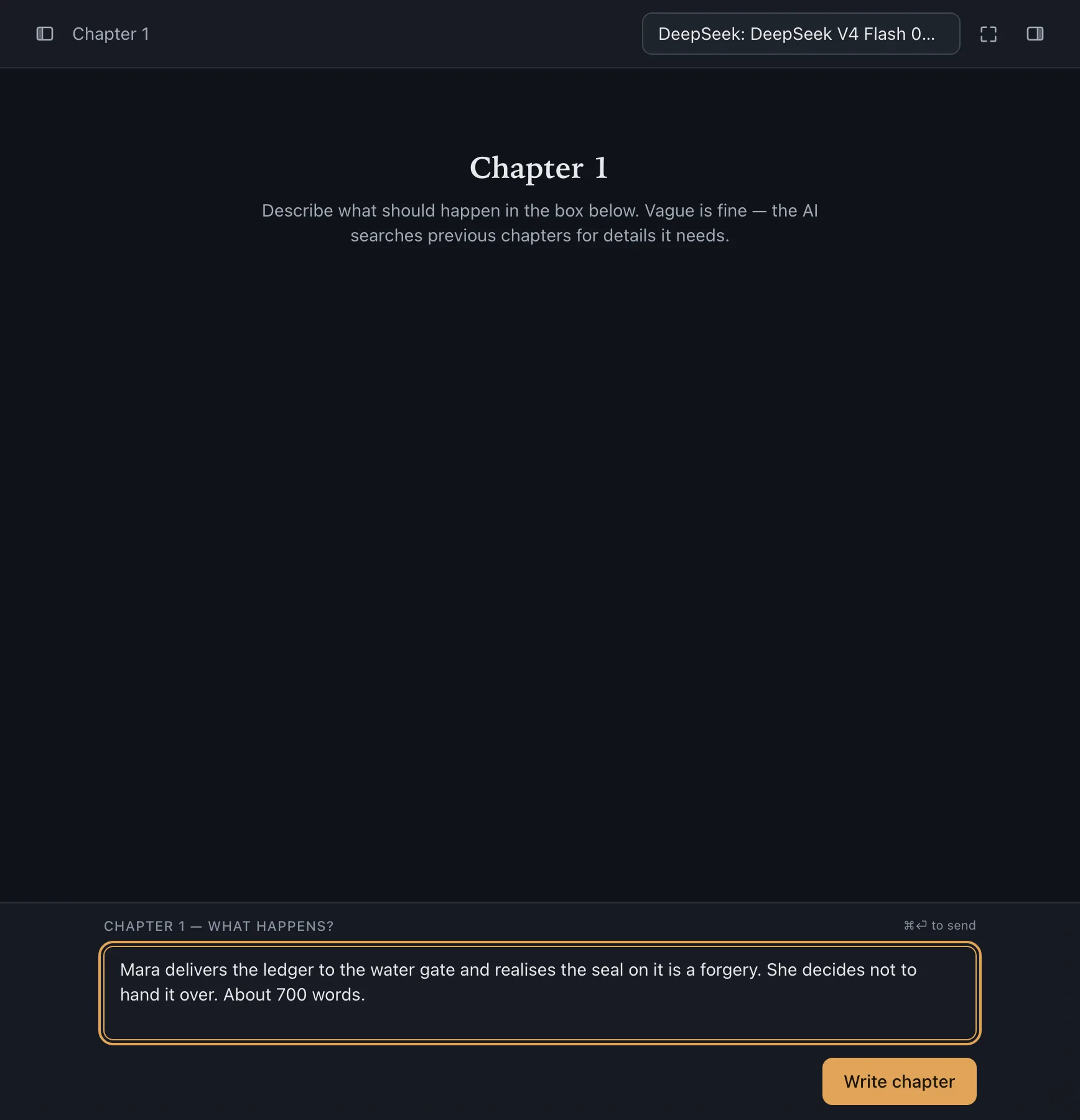
- 1
Say what happens next
A sentence is enough. "The confrontation at the harbour, and she finally reads the letter." Vague is fine — it fills in the details from what you have already written.
- 2
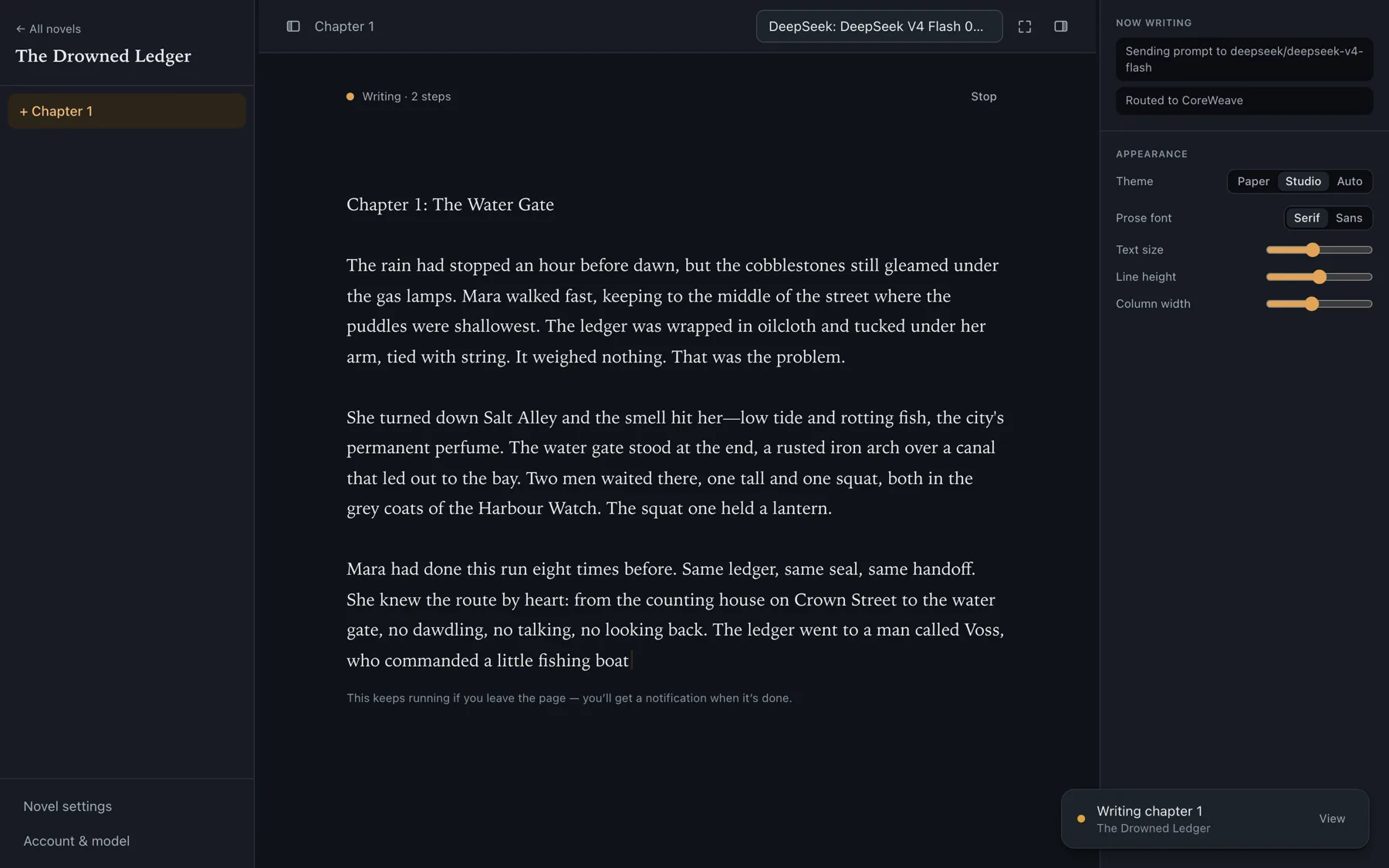
Watch it write
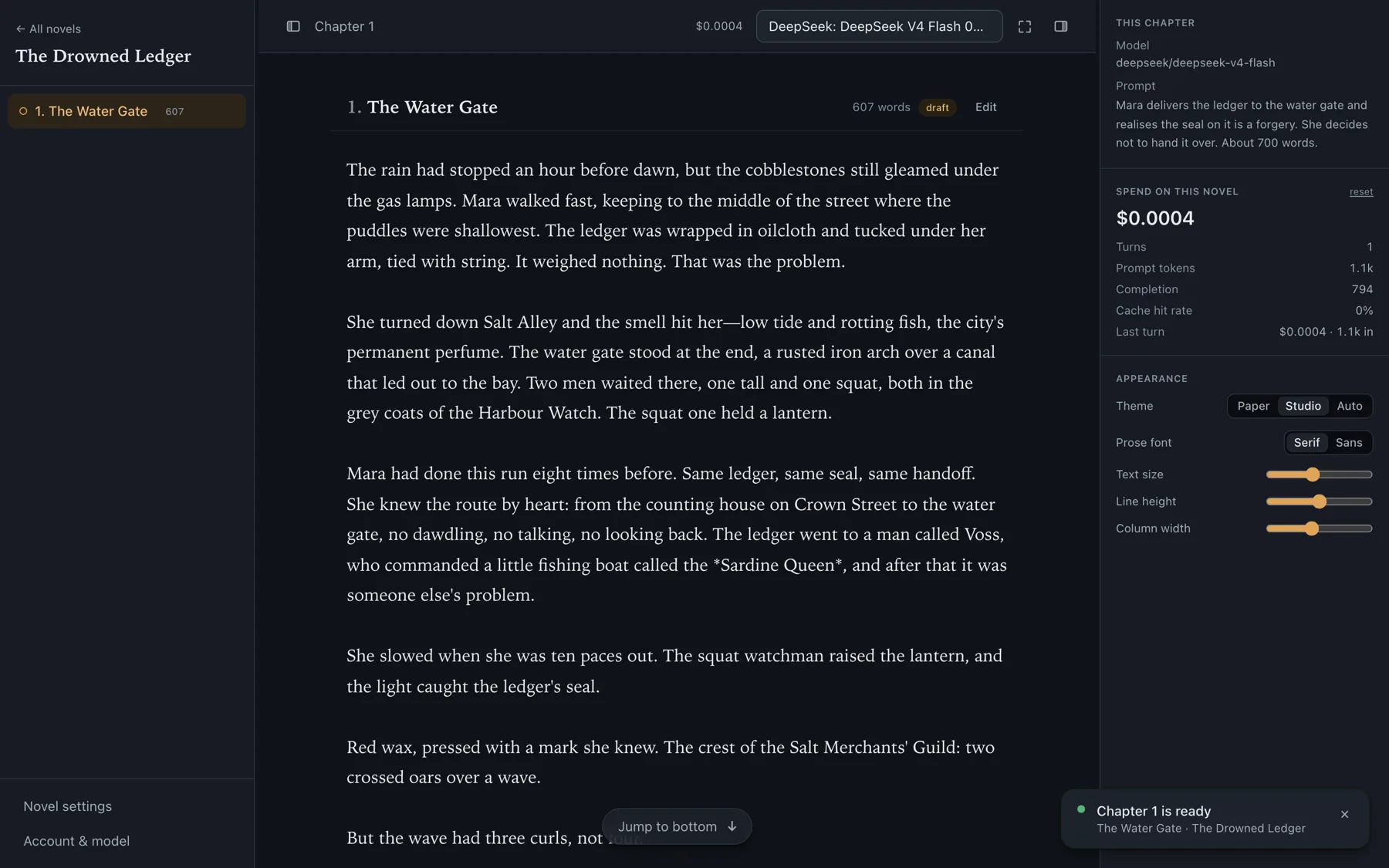
The chapter streams in word by word. You can see what the model is thinking, which earlier chapters it searched, and exactly what the turn is costing you.
- 3
Revise until it is right
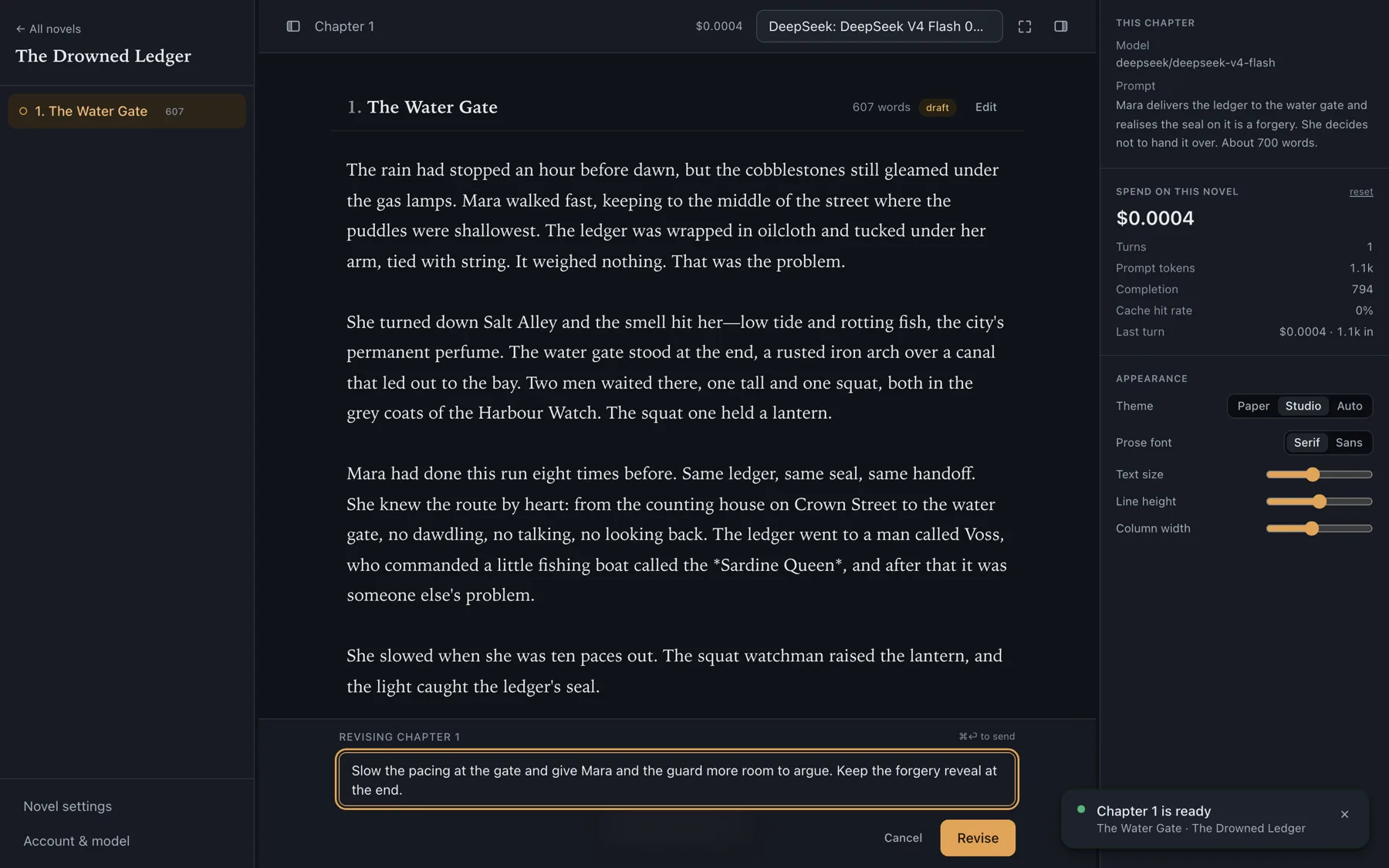
Tell it what to change in plain language, as many times as you like — or open the text and edit it by hand. Nothing is locked.
- 4
Accept, and move on
Accepting files the chapter away and writes the summary that lets chapter 200 still remember it. It also updates your story bible and comes back with three ways the next chapter could go.
While you write
It keeps the notes you would not
A chapter is not the only thing the harness keeps. Accepting one also updates a set of structured notes about your world and comes back with somewhere to go next — which is how chapter 120 still knows who owed whom a favour in chapter 4. And when you want the shape of the next fifty chapters rather than the next one, you can plan that too.
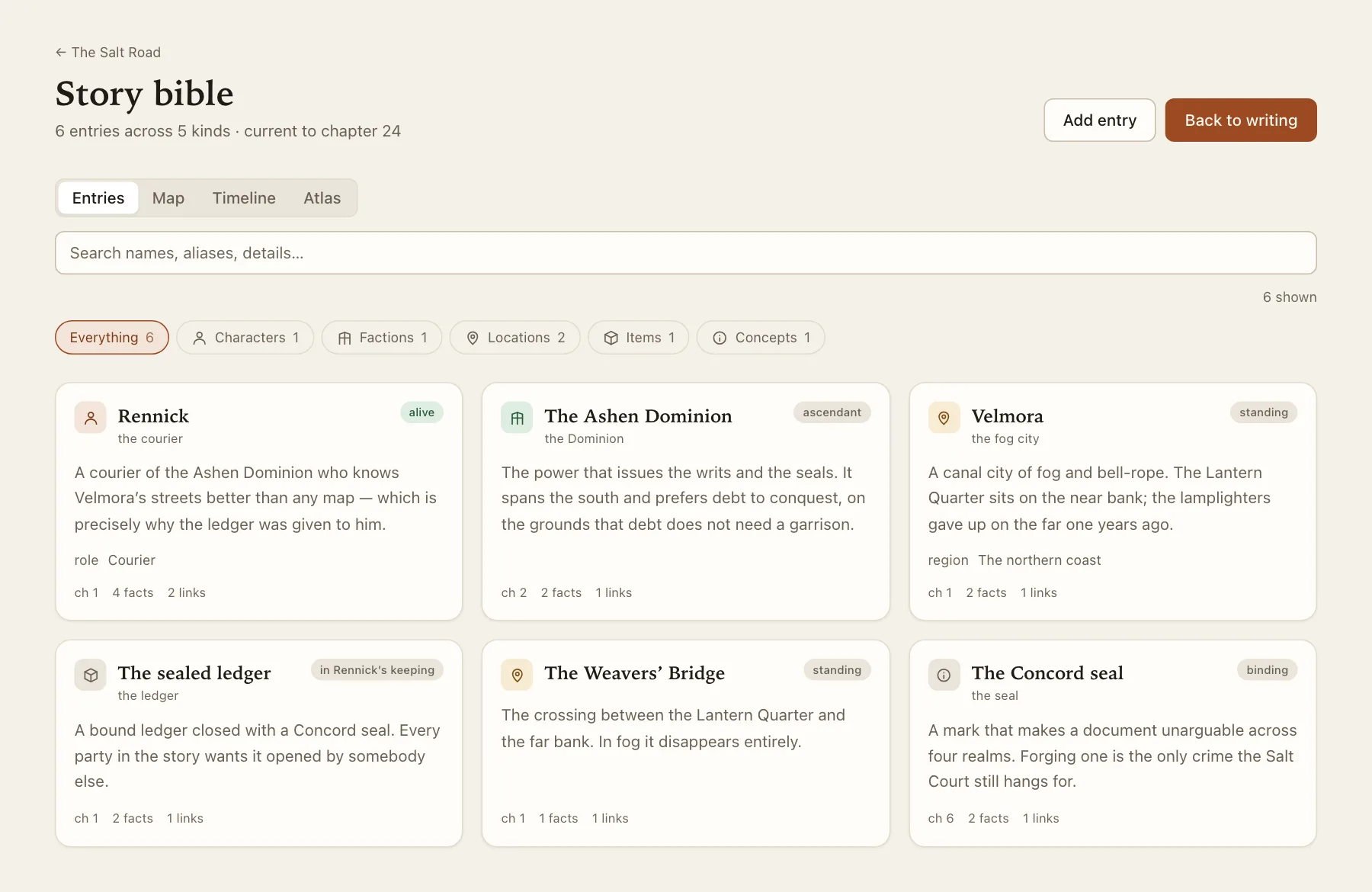
A story bible, kept for you
Characters, factions, items and places, written down as your chapters establish them. Every fact carries the chapter it came from, and your own edits stand until the story genuinely contradicts them.
Characters you design first
What you meant someone to be — want, need, fear, the lie they believe, and the arc you want them to walk. Then ask whether the story has kept to it.
An atlas of your world
The places your chapters establish, drawn as a map — or dictated in a sentence, or sketched by hand. Visualisation only: it never writes back into your chapters.
Arcs planned in advance
Say what an arc is about and get it back as beats, then as chapters — ten at a time, each one a chapter's worth of material rather than a topic. What you wrote stays marked as yours.
Three ways the next chapter could go
Follow through, complicate, or swerve. Picking one fills the box and you edit it before anything runs — the empty box is the hard part, not the typing.
Everything else it does
Any model, your key
400+ models through one OpenRouter key. Switch mid-novel when a better one lands, or drop to a cheaper one for the filler chapters.
Six prose registers
Web novel, literary, cinematic, pulp, mythic, dry comic. How the sentences sound — set once per novel, kept consistent for its whole length.
Caching that actually lands
Providers are pinned so the cache survives, which is why chapter 50 costs barely more than chapter 5 instead of ten times as much.
A workspace, not a form
Resizable panes, focus mode, light and dark themes, reading settings, a command palette and keyboard shortcuts throughout.
Costs on screen
Running spend per novel, per turn, with the cache hit rate. No surprises at the end of the month, because there is no end of the month.
Your text is yours
Export any novel whole, delete it or your whole account whenever. We do not train on what you write.
Common questions
Start with one piece of your world
Useful before you create an account. Everything here is free to open.